What’s New?
- Users can now create LinkedIn campaigns using templates directly inside Ad Manager.
- Ability to upload existing LinkedIn campaigns as templates to the Template Library.
- LinkedIn campaigns are now included under the Ad Manager tab in Template Library alongside Google and Meta.
- Objective-based filtering now also supports LinkedIn campaign objectives for better template discovery.
How It Works:
1. LinkedIn Support in Template Library
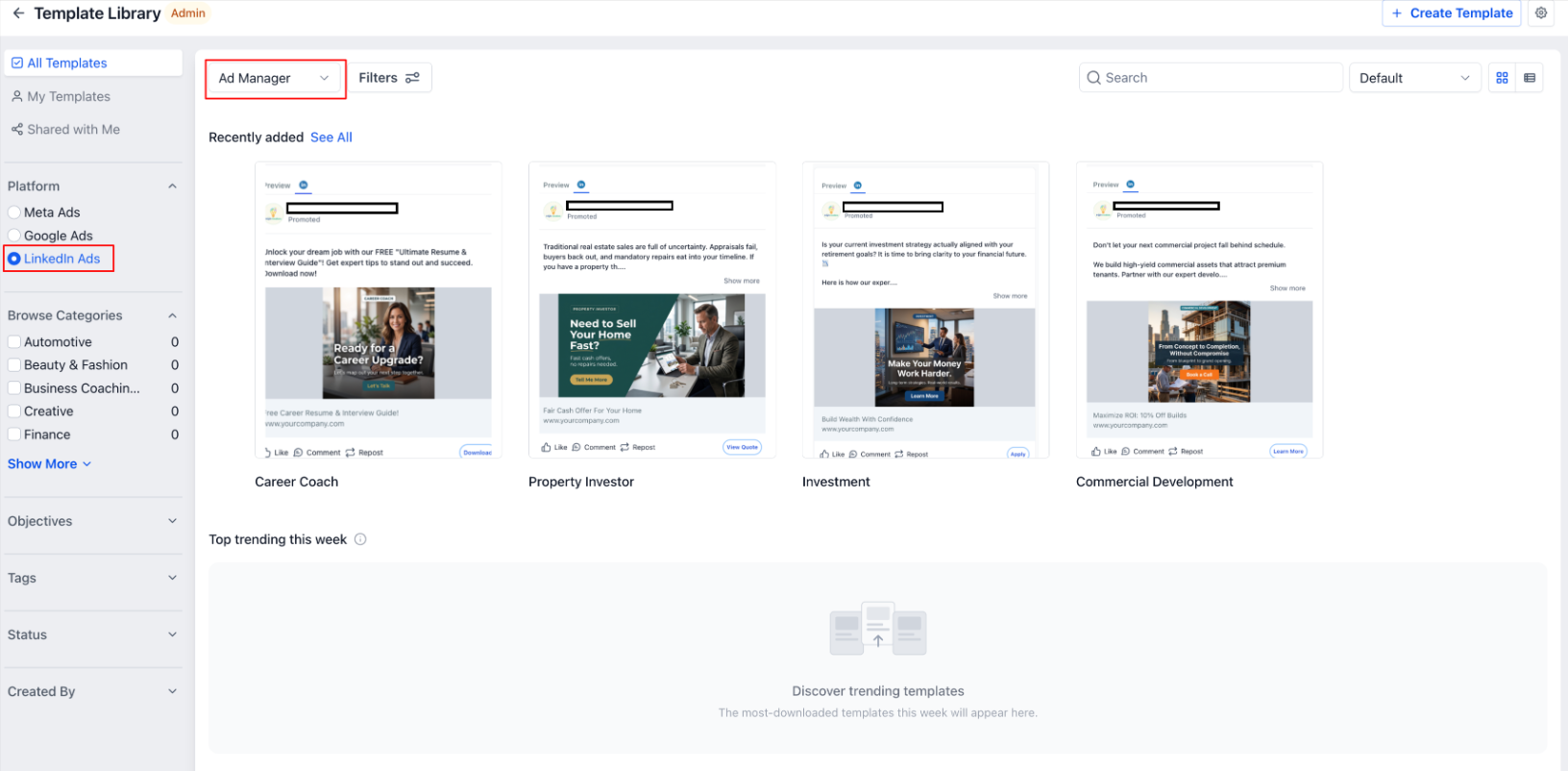
- Navigate to Template Library > Ad Manager Tab.
- All templates (default, user-created, shared) now include LinkedIn campaign templates.
- The “Objectives” filter dynamically reflects LinkedIn-supported objectives (e.g., Lead Generation, Website Visits).
2. Create LinkedIn Campaigns Using Templates
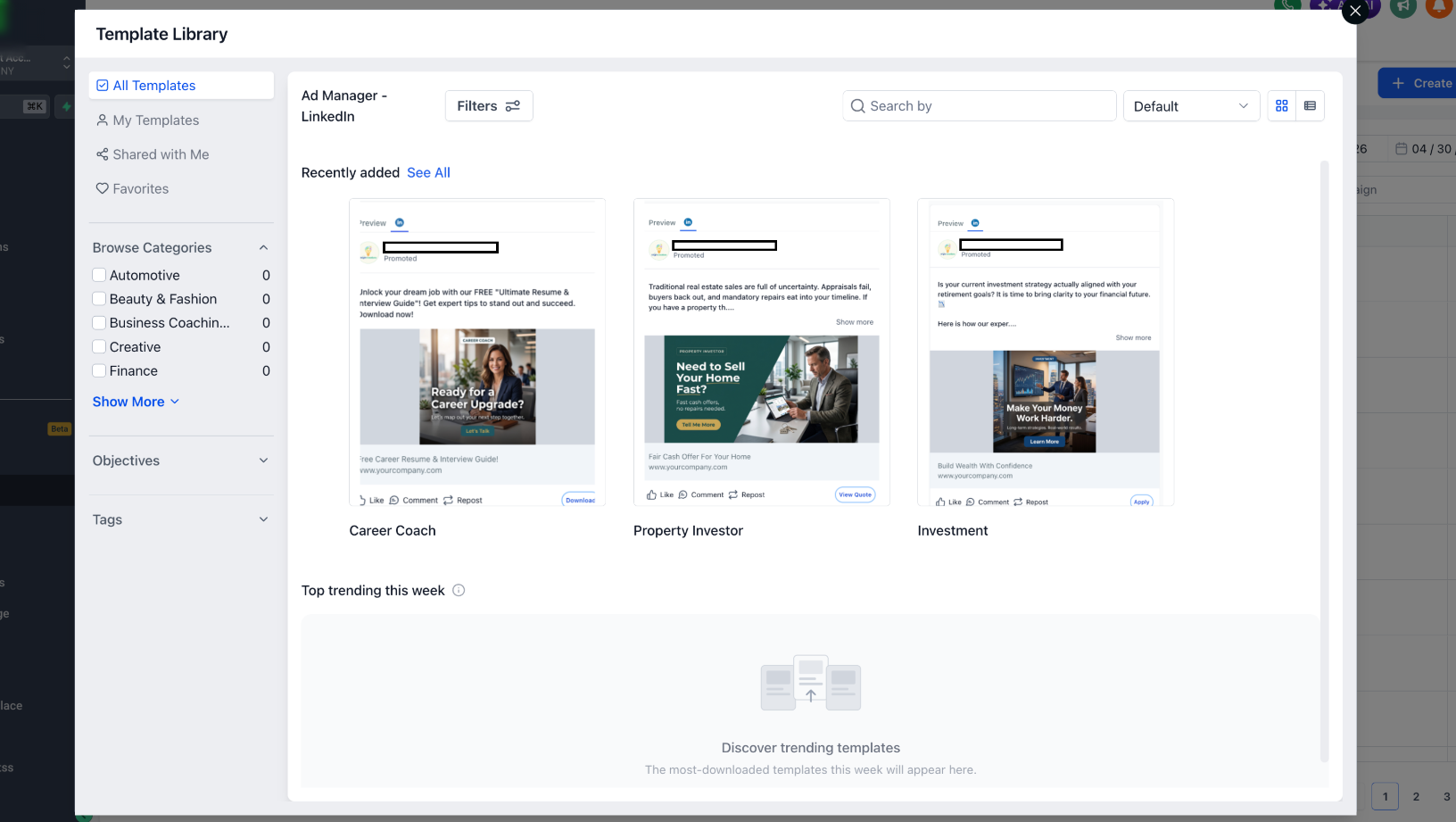
- In Ad Manager, click on “Create Campaign” dropdown.
- Select “Ad Manager Templates”.
- Browse and select a LinkedIn template.
- Preview template details > Click Continue.
- A new LinkedIn campaign is created with pre-filled configurations (targeting, creatives, budget, etc.).
3. Upload LinkedIn Campaigns as Templates
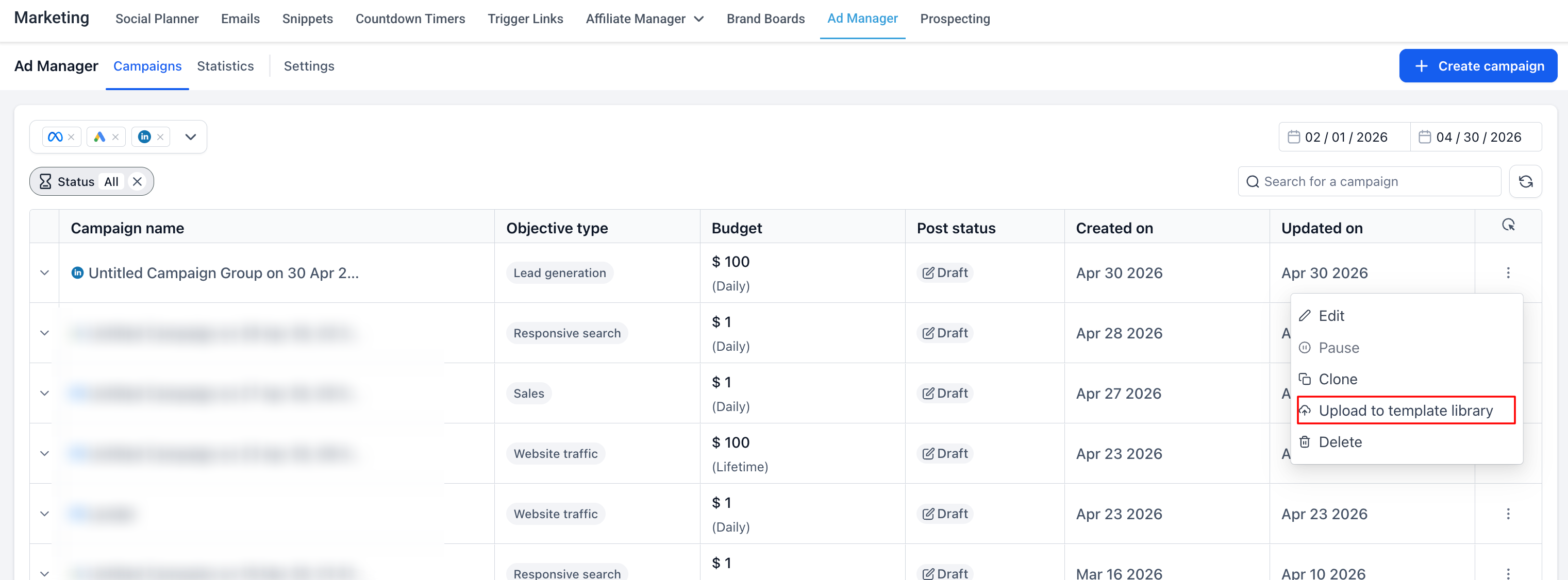
- From the campaign listing page, select an existing LinkedIn campaign.
- Click on ellipsis (⋮) > “Upload to Template Library”.
- Add Template Name + Category.
- Click Upload > Template is saved as Draft.
- Users can edit, save, or publish the template for reuse across accounts.
Why It Matters:
- Cross-Platform Consistency – Extends template-based workflow to LinkedIn, making Ad Manager truly multi-platform.
- Faster Campaign Launches – Reduces manual effort by reusing proven LinkedIn campaign structures.
- Scalable for Users – Enables easy sharing of high-performing LinkedIn strategies across accounts.
- Improved Efficiency – Eliminates repetitive setup and accelerates campaign deployment.
Notes:
- Templates now support Google, Meta, and LinkedIn campaigns within a unified experience.
- Objective filters will continue to expand as more LinkedIn objectives are supported.
- Existing Template Library workflows remain unchanged for backward compatibility.
Was this article helpful?
That’s Great!
Thank you for your feedback
Sorry! We couldn't be helpful
Thank you for your feedback
Feedback sent
We appreciate your effort and will try to fix the article