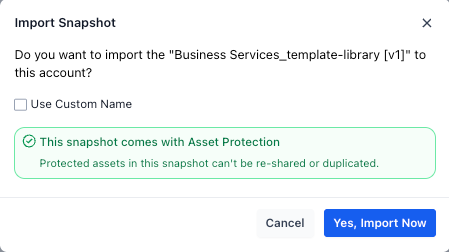
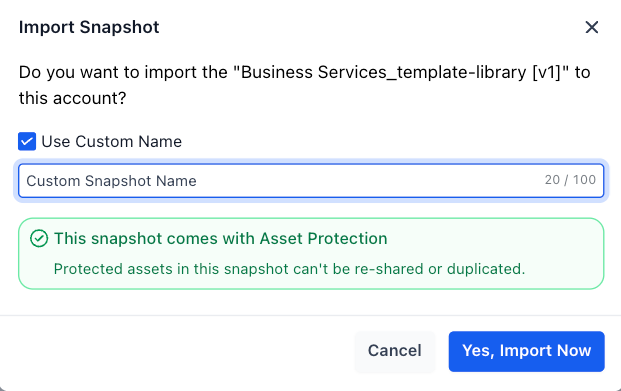
We’ve revamped the snapshot import experience to make it faster, clearer, and more intuitive—giving you greater control right from the start.
What’s New
Custom Snapshot Naming: Rename snapshots during import instead of relying on default names.
Improved Error Messaging: Get clear, actionable messages for issues like expired or invalid share links.
Real-Time Import Status: Imported snapshots now appear instantly in your list with a “greyed out” state while processing, and automatically become active once complete
Asset Protection Indicator: A new shield icon highlights asset-protected snapshots for quick identification.
Enhanced UI & Performance: Cleaner design with a smoother, faster overall experience.

Benefits
Better Organization: Name and manage snapshots your way from day one.
Clear Guidance: Quickly understand and resolve import issues.
Faster Onboarding: Seamless flow from import to usage with improved visibility.
Try importing a snapshot using a share link to explore the new flow and custom naming experience.
Was this article helpful?
That’s Great!
Thank you for your feedback
Sorry! We couldn't be helpful
Thank you for your feedback
Feedback sent
We appreciate your effort and will try to fix the article